Archive by year
Motorola Moto G Power (2024)
Feeling at the time of purchasing this were that I wanted a headphone port, didn't want Samsung, didn't want to spend more than a few hundred dollars, and something in stock at Best Buy would be nice so I didn't have to use a cracked phone screen for long. I was super close to ordering a Jelly Star and living a tiny phone life but the 10 days shipping killed that. And amongst Motorola's lineup the Power has wireless charging so that swung me from the regular Moto G into a huge phone instead.
Halloween candy
We gave out fruit snacks, which came in a box of 160 packages. Each one contains a stingy 6 gummies. When I counted this morning, 90 remained. We ate four last night, leaving 66 given to trick-or-treaters.
I ate two this morning while counting.
Mandan house trees

For posterity, here is a description of the trees that we planted in September 2021. All were purchased from Prairie View. I'll say they were fine but I'll check out somewhere else next time. We went with fairly large trees and I think it was a worthwhile expense do to so. They were all extensively watered for the first fall and then two summers. I did almost no watering in 2024, which was helpfully a pretty wet year.
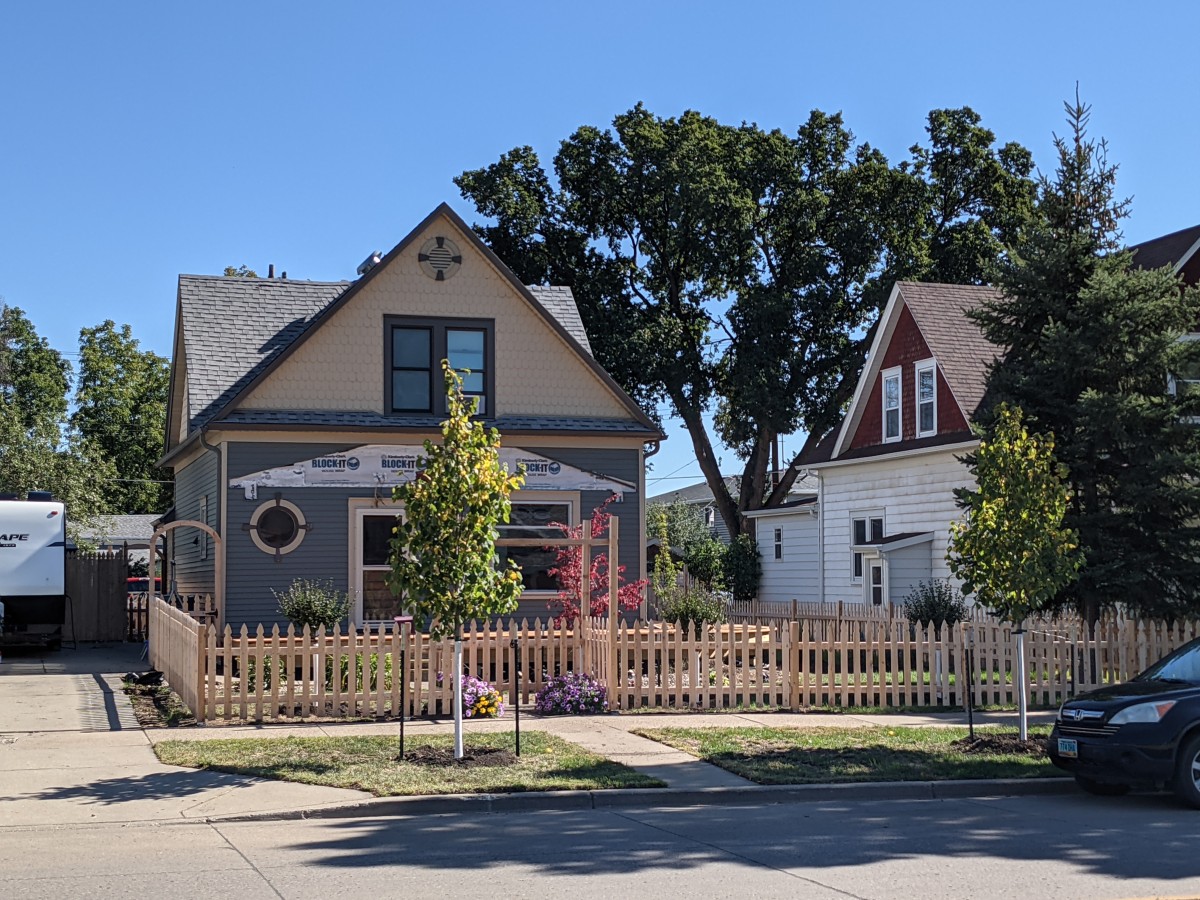
Boulevard Linden
We planted two of these in the boulevard at $327 each. These seem to be slow growers but I'm sure someday they will be mighty trees! Just now in 2024 we finally see significant growth on the top of the north tree (more sun on that one since the south tree is shaded--my theory). Info
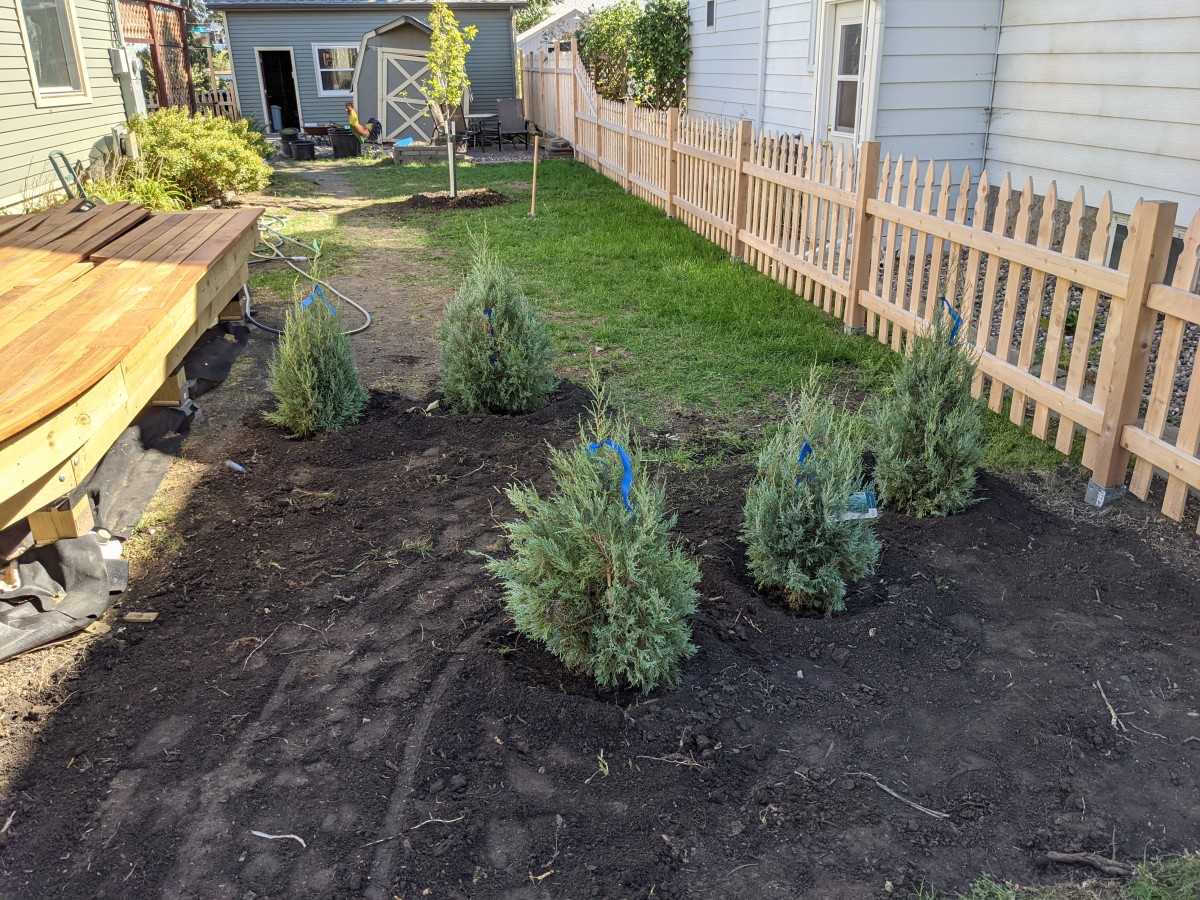
Medora Juniper
A sort of privacy screen is formed by these in the side yard. $96.50 each. These have been growing at a great pace and staying very shapely. Water/ice falling from the porch onto one has not really harmed it so the hardiness is impressive. Info
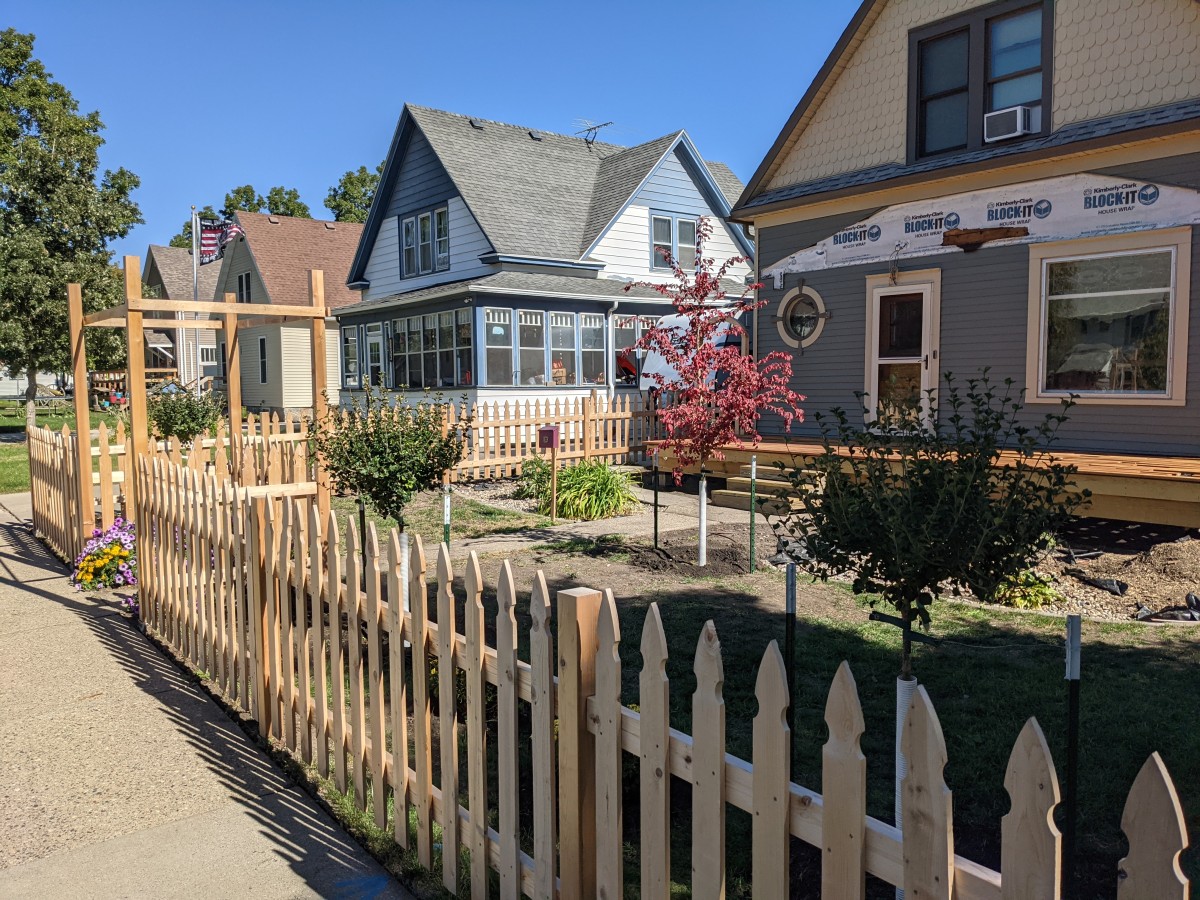
Dwarf Korean Lilac
Three of these serve as show-pieces at the very front of the yard. I have been able to keep them trimmed in nice ball shapes. Ideally these would be just big enough that they go just up to the sidewalk but not over the edge. They have several years before that will be a problem. These are grafted trees, $218 each. The flowers only seem to last two days. Info
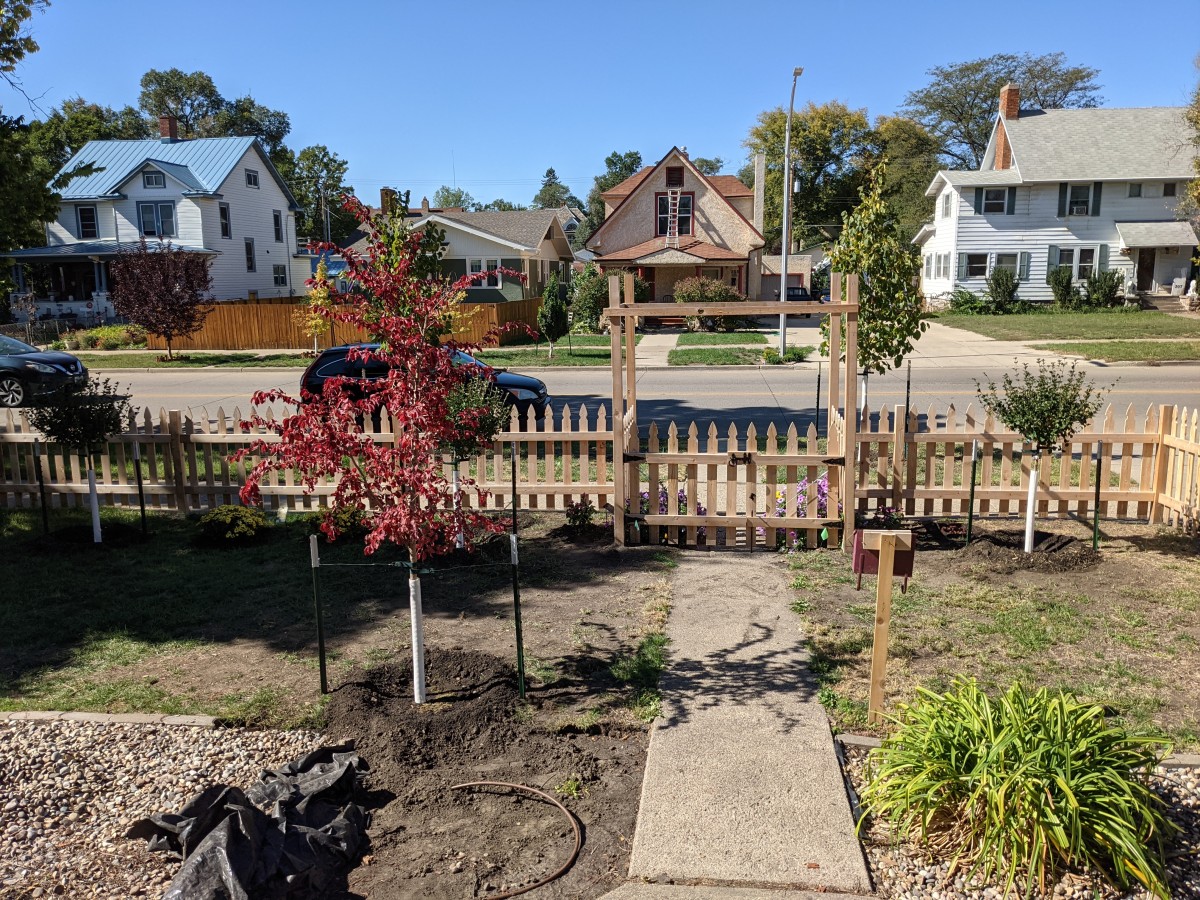
Northern Empress Elm
This tree is in the middle of the front yard and has really started to nicely shade the porch area. It has grown rapidly and has an impressive trunk. Rated to grow 28 feet tall and 24 feet wide, it should not overwhelm the front yard. It grows a ton of downwards drooping garbage branches so I get lots of practice pruning. Apparently this was first available in 2021, the year we got it. $312 for the pleasure! Info
Hot Wings Tatarian Maple
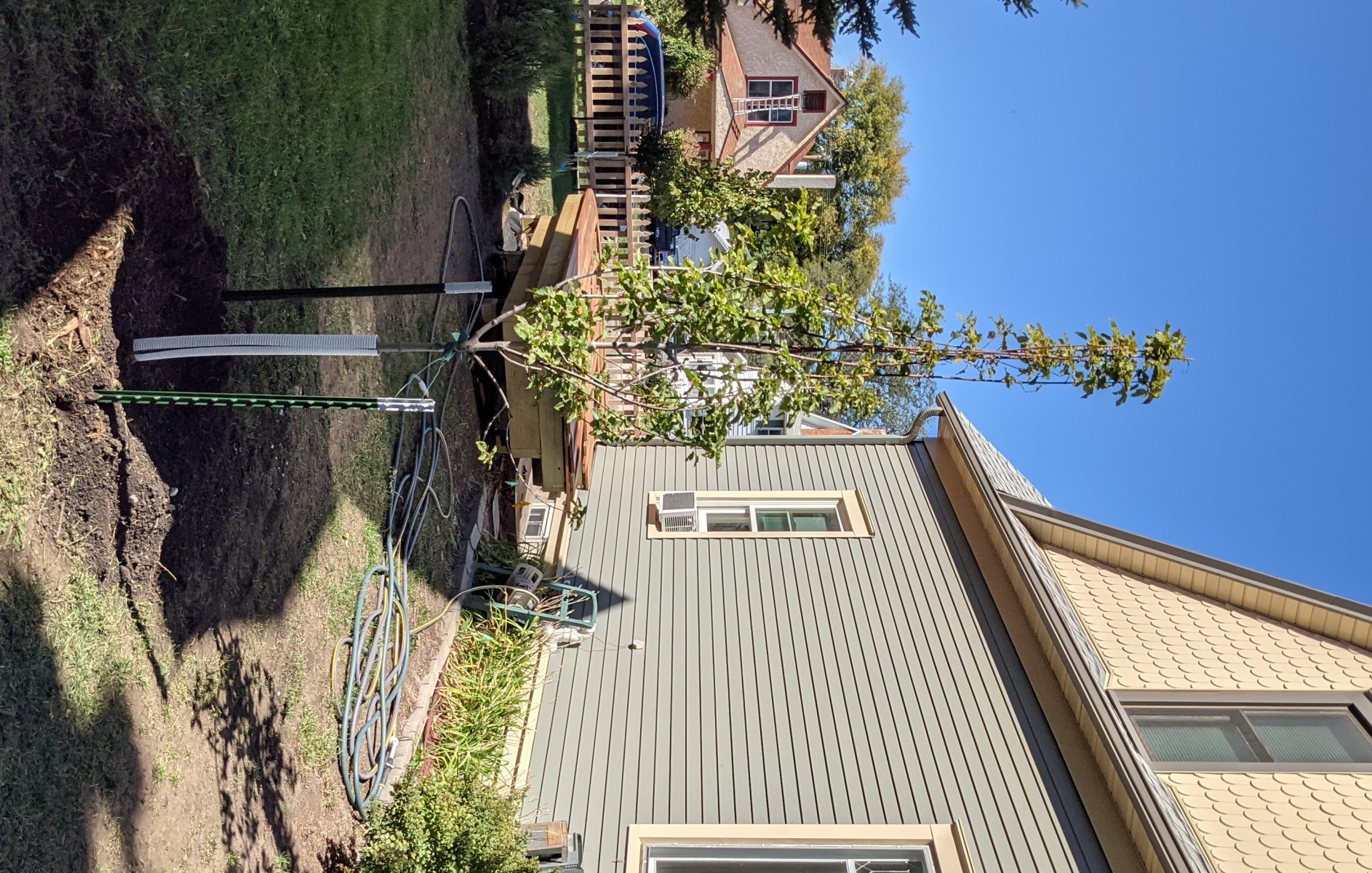
I thought for sure that the leaves would be the hot-wings-colored part of this, but I see now that it is the seeds. That does make sense, since the seeds (samaras, aka helicopters) are like wings, and that is what they say turns red. $186 for this one. It had 6 main shoots going straight up in a bundle for the first two years, and they were very annoying in the way that they tangled with each other, but now they have matured out to do their own thing and the tree looks good. This one is in the side yard. I imagine that people think it is dumb to put a maple tree right between two kind of close houses and with overhead power lines nearby, but this tree should only grow to 18 feet in both height and width so should fit nicely as a mature tree. Info
Prairie Expedition Elm
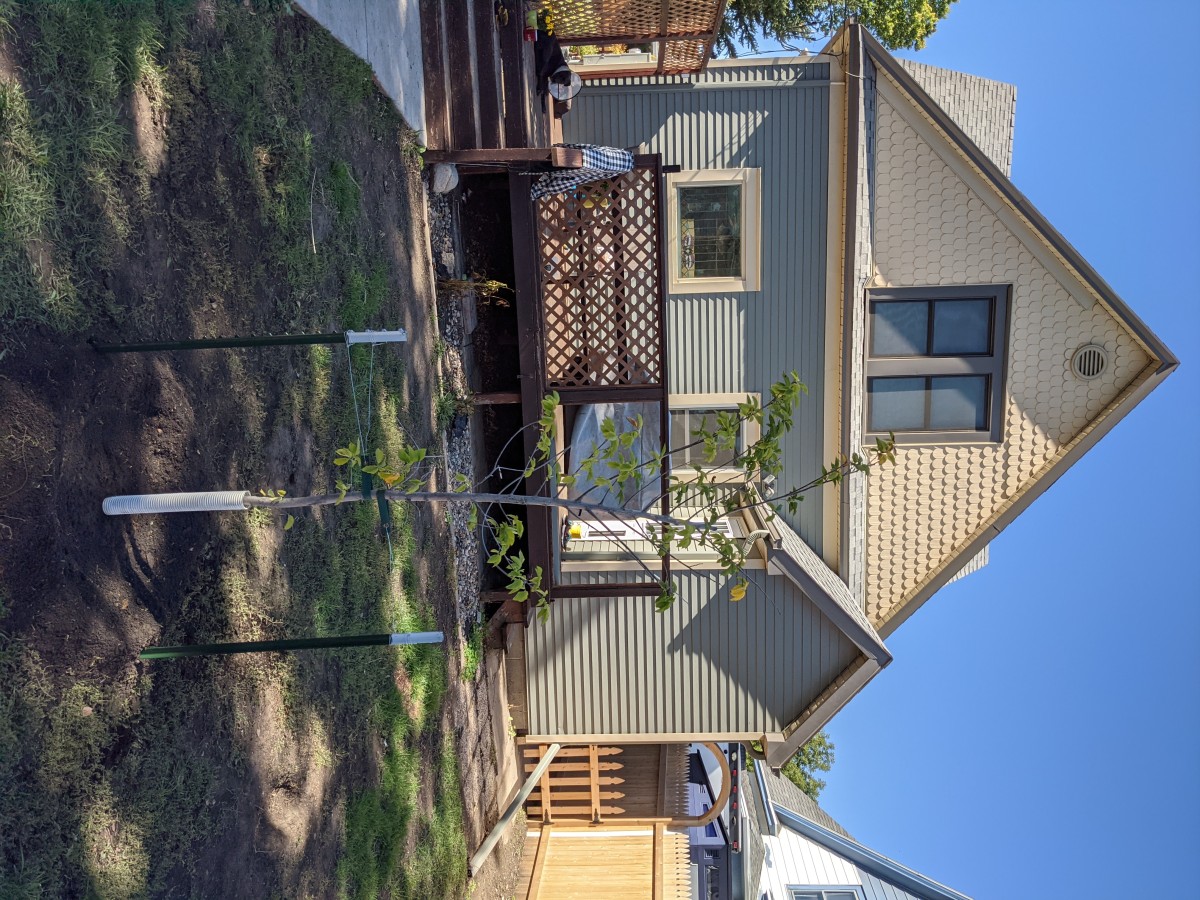
A big tree for the big back yard. Our neighbor Joyce has a nice big elm in her back yard and hopefully this one can fill in the skyline once that one has moved on. This grows at a ridiculous rate, with many new 8' shoots each year. They are too long and susceptible to wind damage so sometimes I cut the ends off. This one was kind of a disorganized wreck when we got it, with a dead and sideways leader, so who knows if it will turn out to be a decent tree. Maybe some good pruning tactics will become obvious as it continues to grow over the next few years. Dutch-elm-disease resistant. $280. Info
Shrubs/flowers
Tiny Tortuga Turtleheads on each side of the front gate. Mammoth Yellow Quill Daisies to the south of the gate. Fulda Glow Sedum by the turtleheads.
Windows SSH client removes hmac-sha1 (and host key algorithm ssh-rsa) from defaults
I ran into trouble connecting to some old network gear this week. It seems that the hmac-sha1 MAC was removed from the default client connection settings. And then next I was having some trouble with the host key algorithm--the host key algorithm ssh-rsa was removed too. They are still supported so can be specified manually in the client config file, such as this set that I use for older Extreme switches:
Host switch-1.domain.tld KexAlgorithms diffie-hellman-group1-sha1 HostKeyAlgorithms ssh-dss Ciphers aes256-cbc MACs hmac-sha1 HostKeyAlgorithms ssh-rsa
The errors I was getting:
Unable to negotiate with 192.168.1.1 port 22: no matching MAC found. Their offer: hmac-sha1,hmac-md5,hmac-sha1-96,hmac-md5-96
Unable to negotiate with 192.168.1.1 port 22: no matching host key type found. Their offer: ssh-rsa
You can see the difference in old and new ssh -vv outputs:
A Windows Server 2022 example:
OpenSSH_for_Windows_8.1p1, LibreSSL 3.0.2<snip>debug2: KEX algorithms: curve25519-sha256,curve25519-sha256@libssh.org,ecdh-sha2-nistp256,ecdh-sha2-nistp384,ecdh-sha2-nistp521,diffie-hellman-group-exchange-sha256,diffie-hellman-group16-sha512,diffie-hellman-group18-sha512,diffie-hellman-group14-sha256,diffie-hellman-group14-sha1,ext-info-cdebug2: host key algorithms: ecdsa-sha2-nistp256-cert-v01@openssh.com,ecdsa-sha2-nistp384-cert-v01@openssh.com,ecdsa-sha2-nistp521-cert-v01@openssh.com,ssh-ed25519-cert-v01@openssh.com,rsa-sha2-512-cert-v01@openssh.com,rsa-sha2-256-cert-v01@openssh.com,ssh-rsa-cert-v01@openssh.com,ecdsa-sha2-nistp256,ecdsa-sha2-nistp384,ecdsa-sha2-nistp521,ssh-ed25519,rsa-sha2-512,rsa-sha2-256,ssh-rsadebug2: ciphers ctos: chacha20-poly1305@openssh.com,aes128-ctr,aes192-ctr,aes256-ctr,aes128-gcm@openssh.com,aes256-gcm@openssh.comdebug2: ciphers stoc: chacha20-poly1305@openssh.com,aes128-ctr,aes192-ctr,aes256-ctr,aes128-gcm@openssh.com,aes256-gcm@openssh.comdebug2: MACs ctos: umac-64-etm@openssh.com,umac-128-etm@openssh.com,hmac-sha2-256-etm@openssh.com,hmac-sha2-512-etm@openssh.com,hmac-sha1-etm@openssh.com,umac-64@openssh.com,umac-128@openssh.com,hmac-sha2-256,hmac-sha2-512,hmac-sha1debug2: MACs stoc: umac-64-etm@openssh.com,umac-128-etm@openssh.com,hmac-sha2-256-etm@openssh.com,hmac-sha2-512-etm@openssh.com,hmac-sha1-etm@openssh.com,umac-64@openssh.com,umac-128@openssh.com,hmac-sha2-256,hmac-sha2-512,hmac-sha1
Freshly updated (2024-10-15) Windows 11 example:
OpenSSH_for_Windows_9.5p1, LibreSSL 3.8.2<snip>debug2: KEX algorithms: curve25519-sha256,curve25519-sha256@libssh.org,ecdh-sha2-nistp256,ecdh-sha2-nistp384,ecdh-sha2-nistp521,diffie-hellman-group-exchange-sha256,diffie-hellman-group16-sha512,diffie-hellman-group18-sha512,diffie-hellman-group14-sha256,ext-info-c,kex-strict-c-v00@openssh.comdebug2: host key algorithms: ssh-ed25519-cert-v01@openssh.com,ecdsa-sha2-nistp256-cert-v01@openssh.com,ecdsa-sha2-nistp384-cert-v01@openssh.com,ecdsa-sha2-nistp521-cert-v01@openssh.com,sk-ssh-ed25519-cert-v01@openssh.com,sk-ecdsa-sha2-nistp256-cert-v01@openssh.com,rsa-sha2-512-cert-v01@openssh.com,rsa-sha2-256-cert-v01@openssh.com,ssh-ed25519,ecdsa-sha2-nistp256,ecdsa-sha2-nistp384,ecdsa-sha2-nistp521,sk-ssh-ed25519@openssh.com,sk-ecdsa-sha2-nistp256@openssh.com,rsa-sha2-512,rsa-sha2-256debug2: ciphers ctos: chacha20-poly1305@openssh.com,aes128-ctr,aes192-ctr,aes256-ctr,aes128-gcm@openssh.com,aes256-gcm@openssh.comdebug2: ciphers stoc: chacha20-poly1305@openssh.com,aes128-ctr,aes192-ctr,aes256-ctr,aes128-gcm@openssh.com,aes256-gcm@openssh.comdebug2: MACs ctos: umac-64-etm@openssh.com,umac-128-etm@openssh.com,hmac-sha2-256-etm@openssh.com,hmac-sha2-512-etm@openssh.com,umac-64@openssh.com,umac-128@openssh.com,hmac-sha2-256,hmac-sha2-512debug2: MACs stoc: umac-64-etm@openssh.com,umac-128-etm@openssh.com,hmac-sha2-256-etm@openssh.com,hmac-sha2-512-etm@openssh.com,umac-64@openssh.com,umac-128@openssh.com,hmac-sha2-256,hmac-sha2-512
The changes can be found in the myproposal.h file. Below is a before and after of the MAC section since the diffs on GitHub seemed confusing to me.
Before:
#define KEX_SERVER_MAC \ "umac-64-etm@openssh.com," \ "umac-128-etm@openssh.com," \ "hmac-sha2-256-etm@openssh.com," \ "hmac-sha2-512-etm@openssh.com," \ "hmac-sha1-etm@openssh.com," \ "umac-64@openssh.com," \ "umac-128@openssh.com," \ "hmac-sha2-256," \ "hmac-sha2-512," \ "hmac-sha1"
After:
#ifdef WINDOWS#define KEX_SERVER_MAC \ "umac-64-etm@openssh.com," \ "umac-128-etm@openssh.com," \ "hmac-sha2-256-etm@openssh.com," \ "hmac-sha2-512-etm@openssh.com," \ "umac-64@openssh.com," \ "umac-128@openssh.com," \ "hmac-sha2-256," \ "hmac-sha2-512,"#else#define KEX_SERVER_MAC \ "umac-64-etm@openssh.com," \ "umac-128-etm@openssh.com," \ "hmac-sha2-256-etm@openssh.com," \ "hmac-sha2-512-etm@openssh.com," \ "hmac-sha1-etm@openssh.com," \ "umac-64@openssh.com," \ "umac-128@openssh.com," \ "hmac-sha2-256," \ "hmac-sha2-512," \ "hmac-sha1"#endif
They did an #IFDEF so that this only affects the Windows client.
And the changes for the ssh-rsa setting were made way back in 2021 yet took until now to reach my PC.
Qotom 1U server SATA power+data cable
I have added a new node to my Proxmox cluster--a Qotom 1U rackmount device. This came to my attention via a pretty thorough STH review. This hits a sweet spot for me. I want to have ~5 nodes in my cluster for Ceph reasons but don't have a ton of continuous load going on. Because capacity and power draw will both be multiplied by five, I don't need a lot of compute/storage per node and want to keep power draw low.
Interlude on my disk selections
Ideally each would have one OS drive and two or three Ceph OSDs. I am trying to do SSDs with power loss protection so selection is a bit limited. But usually I can find used enterprise SSDs with this feature for approximately the same price as decent new consumer SSDs.
The system features two NVMe slots and two SATA ports. I would have preferred OS on SATA and then fill both NVMe slots with OSD disks. But it is difficult to find 80mm enterprise NVMe SSDs of 2TB or 4TB capacity. The Samsung PM983 would be perfect but it is a 22110 size (110mm long) and while I am always down for funky NVMe hold-downs, this case has a hard stop on length shortly after 80mm where the chassis wall is.
So I ended up with a Samsung MZ-7LH3T80 3.84TB disk which is SATA but will be fine. And I picked up a Micron 7300 Pro 480GB as the OS disk (no need for an enterprise disk here but I didn't have any other 80mm units around so figured if I am going to be spending $45 anyways for a decent one I might as well do it). Both used.
On with the main event
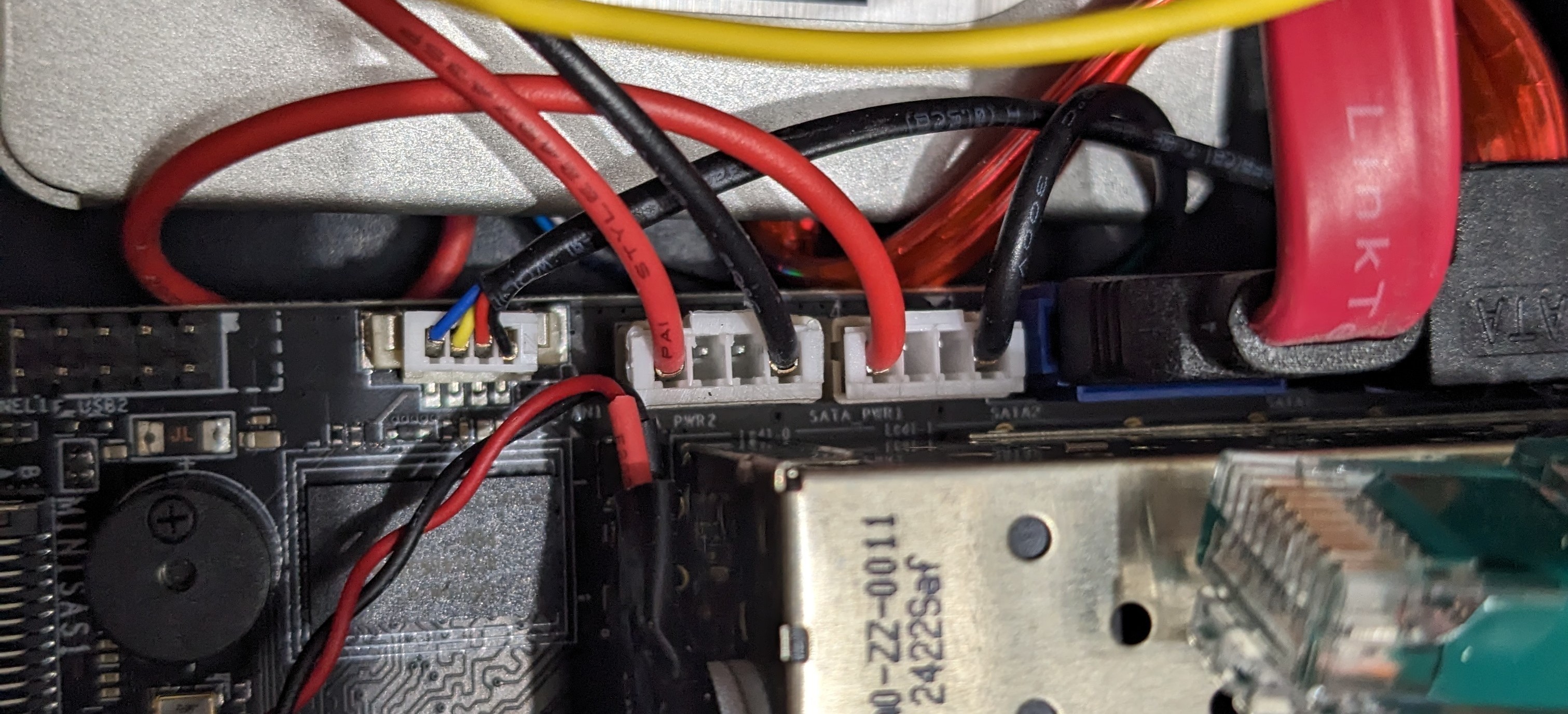
The server comes with one SATA power+data cable, and the power cable is non-standard. The STH review used the cable from their second unit to hook up two SATA disks but no one sent me a second server! Some searching revealed that this connector is described as a "PH2.0 small 4-pin" cable. Or more specifically it is JST's PH series connector which features a 2.0mm pitch.
I was able to find a SATA assembly including the power and data cables on AliExpress. But don't get that one. The right-angle data plug is bent the "wrong" way and won't fit on the motherboard! This one looks to be correct based on the picture (warning: the power pins aren't correct).
Not wanting to wait for a new delivery, I simply cut the disk-end connector in half with a bandsaw so that I could use only the power portion, and paired that with an on-hand old SATA data cable.
The computer would not boot with this hack-job connected. So my first suspicion was the powercable pin order as the colors were different from those on the in-box cable. I was able to rearrange the pins and things worked.
The drive side of the power cable has wires in this order: black, red, black, yellow. I moved those first two (black and red) on the motherboard end to be similar to the cable that came with the server and it is running fine. (aka use the black wire that seems to be paired with the red)
The pins have a barb that holds them in the plastic connector. You can poke or bend the barb with something tiny--I use the "SIM" bit in my iFixIt screwdriver kit. And then try to bend the barb back out before re-seating the pin in the new home.
Proxmox/Ceph storage performance notes
I recently found the XtremeOwnage.com blog and love the content. I will write some similar stuff.
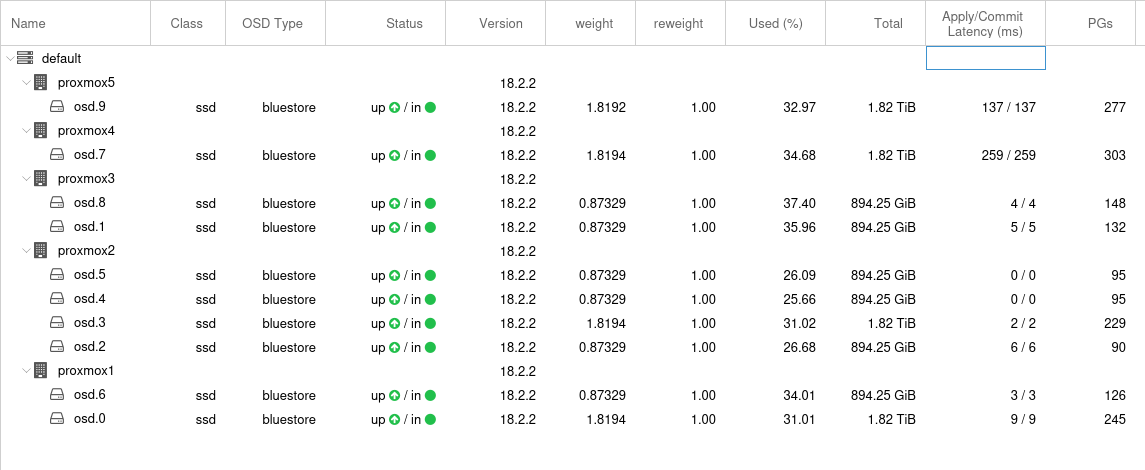
My homelab has been a Proxmox cluster with Ceph for almost a year now. It takes a lot of hardware and is complex but I love the flexibility to rearrange the storage. Between 5 nodes I have 10 SSDs as OSDs. Some are consumer-class which I now understand are quite harmful to performance. Most of the ~1TB ones are workplace "e-waste redirect" units so are Intel datacenter-class models that presumably have PLP capacitors. I started out with 1gbps per node so performance was never going to be great. But now I have some nodes running 5x1gbps so I am getting more interested in performance.
Here are the OSDs:
The test pool that I created for benchmarking:

Write performance:
root@proxmox1:~# rados bench -p testpool 300 write --no-cleanup
hints = 1
Maintaining 16 concurrent writes of 4194304 bytes to objects of size 4194304 for up to 300 seconds or 0 objects
Object prefix: benchmark_data_proxmox1_200202
  sec Cur ops   started  finished  avg MB/s  cur MB/s last lat(s)  avg lat(s)
    0       0         0         0         0         0           -           0
    1      16        53        37   147.986       148    0.583851    0.320801
    2      16        90        74   147.987       148    0.147199    0.325505
    3      16       135       119   158.654       180    0.138938    0.328477
<snip>
  294      16      8702      8686   118.165       152    0.293002    0.540915
  295      16      8716      8700   117.954        56    0.203445    0.540626
  296      16      8738      8722   117.853        88    0.501285    0.541629
  297      16      8759      8743   117.739        84    0.643936    0.542475
  298      16      8784      8768   117.679       100    0.112998    0.542322
  299      16      8804      8788   117.553        80    0.232327    0.542073
2024-09-19T22:20:13.695935-0500 min lat: 0.0476777 max lat: 4.72464 avg lat: 0.543161
  sec Cur ops   started  finished  avg MB/s  cur MB/s last lat(s)  avg lat(s)
  300      15      8824      8809   117.441        84    0.234312    0.543161
Total time run:         300.739
Total writes made:      8824
Write size:             4194304
Object size:            4194304
Bandwidth (MB/sec):     117.364
Stddev Bandwidth:       42.9952
Max bandwidth (MB/sec): 220
Min bandwidth (MB/sec): 4
Average IOPS:           29
Stddev IOPS:            10.7488
Max IOPS:               55
Min IOPS:               1
Average Latency(s):     0.545222
Stddev Latency(s):      0.463362
Max latency(s):         4.72464
Min latency(s):         0.0476777
Sequential read performance
root@proxmox1:~# rados bench -p testpool 100 seq
hints = 1
  sec Cur ops   started  finished  avg MB/s  cur MB/s last lat(s)  avg lat(s)
    0       0         0         0         0         0           -           0
    1      16        93        77   307.953       308   0.0125451    0.149726
    2      16       153       137   273.969       240   0.0473266    0.194905
    3      16       209       193   257.307       224   0.0672088     0.22432
    4      16       257       241   240.977       192   0.0402067    0.246331
    5      16       324       308   246.377       268    0.724575    0.241547
<snip>
   95      16      5348      5332   224.483       284    0.277306    0.283629
   96      16      5396      5380   224.145       192   0.0401958    0.283725
   97      16      5444      5428   223.813       192   0.0127102    0.284014
   98      16      5490      5474   223.407       184   0.0136518    0.284502
   99      16      5547      5531   223.453       228    0.151732    0.284663
2024-09-19T22:28:46.137589-0500 min lat: 0.00903257 max lat: 1.49518 avg lat: 0.2848
  sec Cur ops   started  finished  avg MB/s  cur MB/s last lat(s)  avg lat(s)
  100      15      5602      5587   223.458       224    0.141309      0.2848
Total time run:       100.495
Total reads made:     5602
Read size:            4194304
Object size:          4194304
Bandwidth (MB/sec):   222.976
Average IOPS:         55
Stddev IOPS:          7.95398
Max IOPS:             78
Min IOPS:             45
Average Latency(s):   0.28573
Max latency(s):       1.49518
Min latency(s):       0.00903257
Random read performance
root@proxmox1:~# rados bench -p testpool 100 rand
hints = 1
  sec Cur ops   started  finished  avg MB/s  cur MB/s last lat(s)  avg lat(s)
    0       0         0         0         0         0           -           0
    1      16       110        94   375.941       376    0.182853    0.128227
    2      16       214       198   395.945       416   0.0210152    0.148397
    3      16       303       287   382.622       356    0.492813     0.15927
    4      16       396       380   379.959       372   0.0994178    0.160321
<snip>
   95      16      8401      8385   353.019       372   0.0999113    0.180418
   96      16      8504      8488   353.633       412    0.177019    0.180185
   97      16      8604      8588   354.111       400   0.0284281    0.179882
   98      16      8703      8687   354.535       396    0.326019    0.179665
   99      16      8801      8785   354.913       392    0.341465    0.179431
2024-09-19T22:31:27.955888-0500 min lat: 0.00162297 max lat: 1.04212 avg lat: 0.179455
  sec Cur ops   started  finished  avg MB/s  cur MB/s last lat(s)  avg lat(s)
  100      16      8880      8864   354.524       316   0.0563875    0.179455
Total time run:       100.436
Total reads made:     8880
Read size:            4194304
Object size:          4194304
Bandwidth (MB/sec):   353.658
Average IOPS:         88
Stddev IOPS:          9.03027
Max IOPS:             112
Min IOPS:             63
Average Latency(s):   0.179924
Max latency(s):       1.04212
Min latency(s): 0.001622972018 Honda Odyssey
Our exciting entry into van life as we prepare for baby number two to arrive. Motivating factors:
- More leg room for Aaron when sitting in front of a rear-facing car seat.
- More capacity for people and stuff in addition to two car seats.
We had to go Honda for the sliding Magic Seat function. The luxuries of the Elite trim model will be much appreciated: heated steering wheel, lane keeping, adaptive cruise control, and more.
Lenovo ThinkPad X1 Carbon
Anna's grandpa's old computer that I have no immediate plans for.
Never did find one and got rid of it.
Three-way light sockets
I often have one or more lamps with three-way bulb sockets, but rarely bother purchasing a three-way bulb. One might think that this results in some unpredictable behavior when trying to switch the light, as the next pull or turn may or may not turn it on or off. But if you always turn two notches then the bulb will turn on / off on one of those notches and the behavior is predictable.